
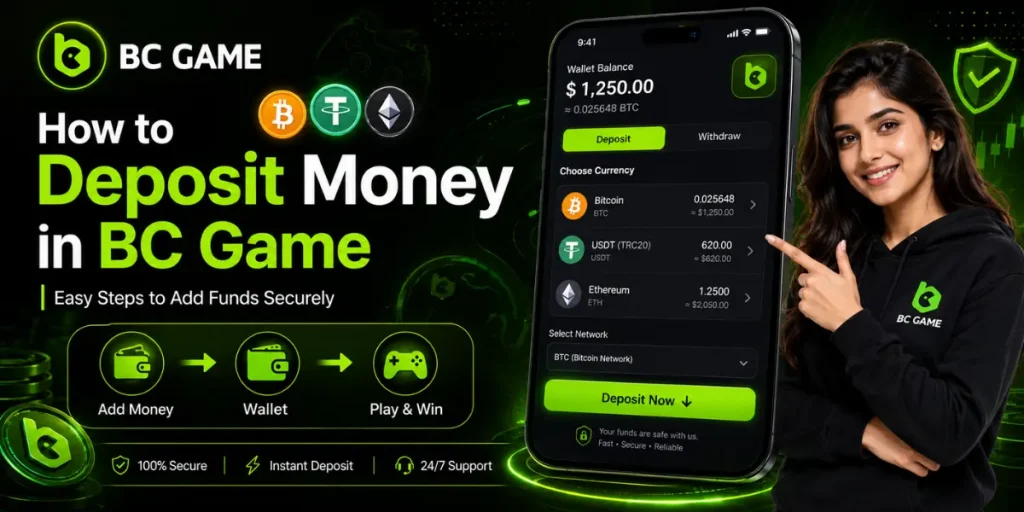
If you want to play games on BC Game, you first need to add funds to your account. The deposit process is generally simple, but the exact payment options can depend on your location, currency, and account. BC Game provides a Wallet section where users can manage deposits, withdrawals, transactions, and supported currencies.
In this guide, we explain how to deposit money in BC Game, including the steps for fiat and cryptocurrency deposits, deposit processing times, common problems, and important safety tips.
What Is a BC Game Deposit?
A BC Game deposit means adding money or supported cryptocurrency to your account wallet. Once the funds are successfully credited, they can be used for eligible games and other available features on the platform.
Before learning How to Deposit Money in BC Game, check available payment methods, limits, fees, and processing times.
What You Need Before Making a Deposit?
Before starting the BC Game deposit process, make sure you have registered and logged in to your BC Game account.
- An active BC Game account
- Your login details
- A supported payment method
- Enough funds for the transaction
- Correct payment or wallet information
- A stable internet connection
It is also a good idea to check the deposit instructions carefully before confirming any transaction.
How to Deposit Money in BC Game?
The basic deposit process can be completed through the Wallet section. Follow these steps:
1. Log In to Your BC Game Account
Open the BC Game website or supported app and sign in using your account credentials.
2. Open Your Wallet
After logging in, go to your profile or avatar and select Wallet. The Wallet acts as the central area for managing your funds and transactions.
3. Select Deposit
Inside the Wallet, choose the Deposit option. You should see the payment methods currently available for your account.
4. Choose a Payment Method
Select your preferred option, such as a supported fiat payment method or cryptocurrency. If you are depositing INR, BC Game’s current guide directs users to select Fiat, choose INR, and then select an available deposit method.
5. Enter the Deposit Amount
Enter the amount you want to deposit and review the information shown on the screen. Make sure the amount is within the applicable limits before continuing.
6. Complete the Payment
Click Deposit and follow the instructions provided by the selected payment provider. For INR deposits, BC Game says users may be presented with payment methods or manual-transfer instructions.
7. Check Your Transaction
After making the payment, return to the Wallet and open Transaction to check the deposit status and order details.
How to Deposit Crypto on BC Game?
If you prefer cryptocurrency, the process is slightly different. First, open the Deposit section and select cryptocurrency. Then choose the coin and the correct blockchain network.
- Log In: Sign in to your BC Game account.
- Open Wallet: Go to Wallet → Deposit.
- Choose Crypto: Select your preferred cryptocurrency.
- Select Network: Choose the correct blockchain network.
- Copy Address: Copy the displayed deposit address.
- Send Crypto: Transfer crypto from your wallet.
- Wait for Confirmation: Allow the blockchain to process the transaction.
- Check Balance: Confirm the amount appears in your BC Game wallet.
How Long Does a BC Game Deposit Take?
Deposit processing time depends on the payment method.
For fiat deposits, BC Game states that processing can take up to two hours, with weekends and public holidays potentially causing additional delays.
BC Game Deposit Not Showing: What to Do?
While learning How to Deposit Money in BC Game, remember that completed payments may take time to appear in your wallet. If a deposit is missing, check the transaction status first.
For a fiat deposit, you can check the transaction under Transactions → Deposits. If the deposit remains pending, BC Game provides a Speed up the Deposit option where you may be asked to submit payment proof.
For INR deposits, the support ticket process may require your payment receipt, UTR number, and UPI details.
Tips for a Safe BC Game Deposit
Keep these points in mind whenever you make a deposit:
- Double-check the payment details before confirming.
- For crypto, verify both the wallet address and network.
- Check whether a Memo or Tag is required.
- Keep your payment receipt or transaction ID.
- Never share your password, OTP, or private wallet keys.
- Review the current deposit limits and fees before paying.
- Only use payment instructions displayed through your account.
Taking a few extra seconds to verify the details can help prevent avoidable payment problems.
Does BC Game Offer a Deposit Bonus?
BC Game may run deposit-related promotions, but the terms and percentages can change. Its Help Center describes deposit bonuses that can depend on the deposit amount and the number of eligible deposits made during an active promotion.
Therefore, check the current promotion page and its conditions before making a deposit specifically to claim a bonus. Do not assume that an older bonus offer is still available.
Frequently Asked Questions (FAQs)
How to deposit money in BC Game?
Log in, open Wallet, select Deposit, choose an available payment method, enter the amount, and complete the payment instructions.
What payment methods are available on BC Game?
BC Game supports different fiat and cryptocurrency deposit options. The methods available to you are displayed in the Deposit section of your Wallet.
How long does a BC Game deposit take?
Fiat deposits can take up to two hours according to BC Game, while cryptocurrency deposits depend on the blockchain and required confirmations.
Why is my BC Game deposit not showing?
Check your transaction status first. If a fiat deposit remains pending, use the available Speed up the Deposit process and provide the requested payment proof.
Can I deposit cryptocurrency into BC Game?
Yes. BC Game provides cryptocurrency deposit options where available. You need to select the correct coin and network and send the funds to the displayed deposit address.